Product
From the driveway to the EHR in three steps.
Driveway is built for clinicians who see people in homes, kitchens, and classrooms, then write notes in the car. Here is exactly what happens.
No card. 10 notes a month free. First note in under a minute.
Step 1
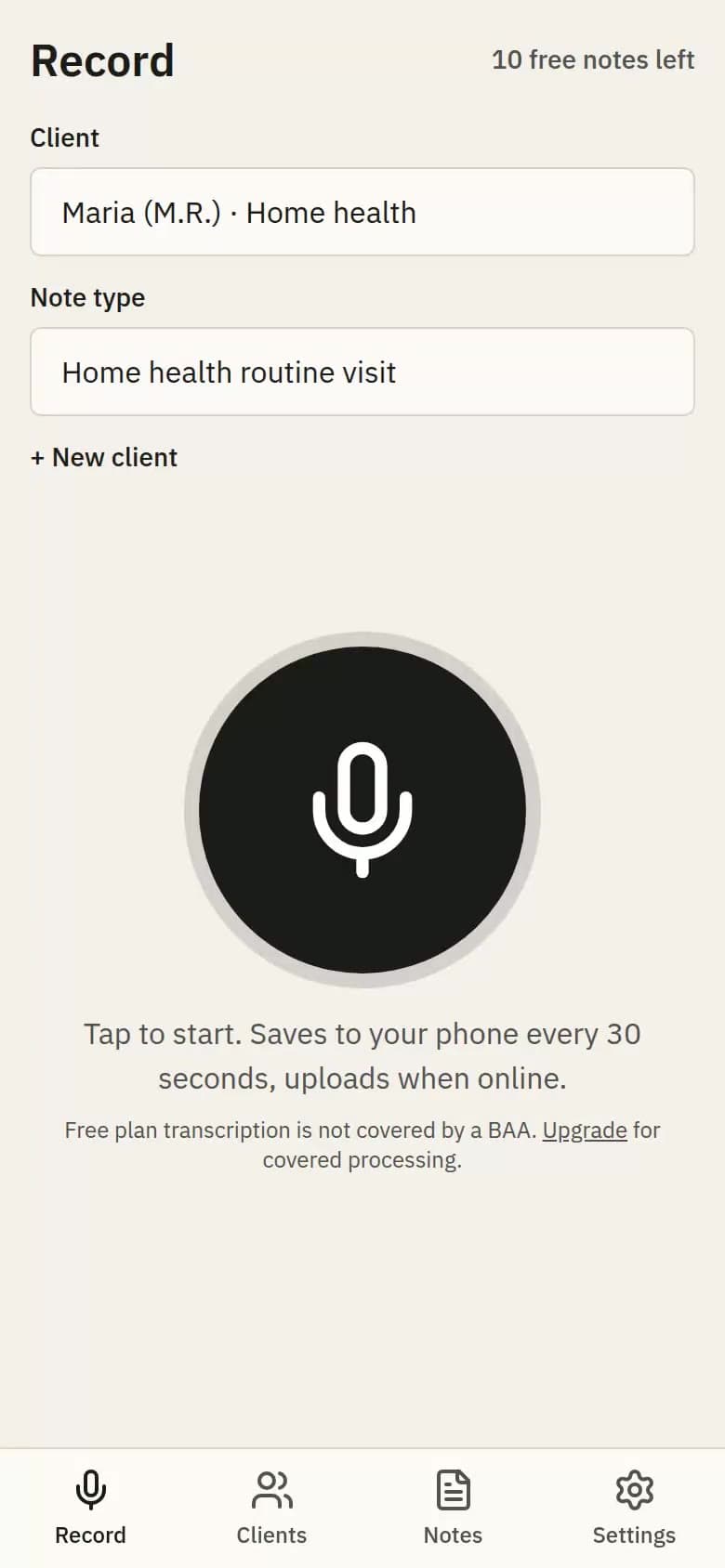
Record the visit
Pick the client, tap record, talk. Say what you did, what you saw, what you measured, and what is next. Recording is saved to the phone every 30 seconds, so a dead zone or a locked screen never loses anything. It uploads on its own once you have signal.
Step 2
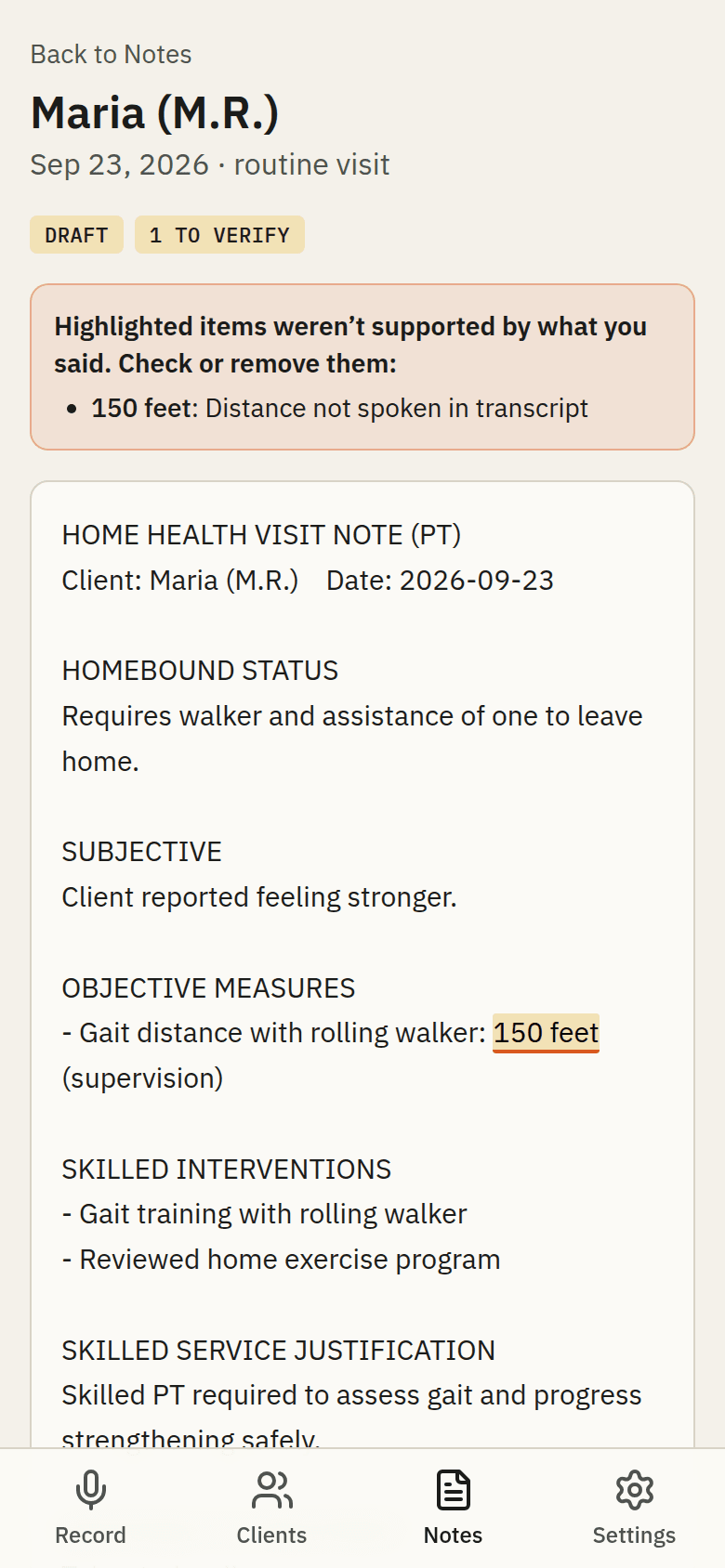
Review the note
The recording is transcribed, then written into the template your setting uses. A second pass compares every sentence to what you said and highlights anything it could not find. You edit inline, mark it final, and Driveway learns your phrasing for next time. A plain-language summary for the family comes with every note.
- Home health: routine visit, start of care, recert, discharge, missed visit
- Early intervention: generic plus New York, New Jersey, Pennsylvania, Florida, Texas
- School: service log tied to the IEP goal, IEP progress report
- Clinic: SOAP, progress report, discharge, authorization letter
Step 3
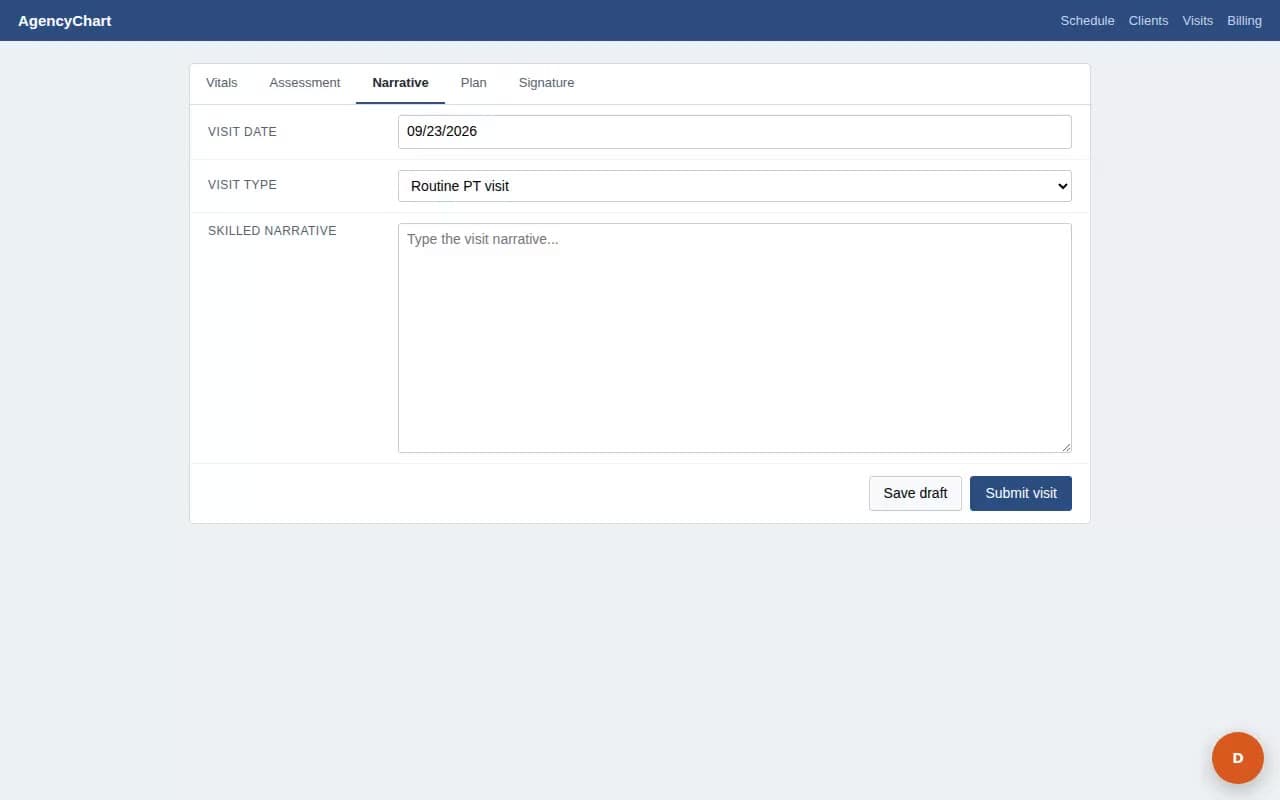
Insert it into the EHR
Open your EHR in Chrome. Click into the note field, click the orange D, pick the note. The extension knows the narrative fields in Axxess, WellSky, HCHB, WebPT, Raintree, Fusion, and TheraPlatform, and uses whatever field you clicked in anything else. Every insertion is logged.
What happens to the recording
Audio
Deleted the moment the note is written. Never later than 24 hours.
Transcript
Deleted after 30 days.
Note
Yours until you delete it. Deleting a client removes everything attached to them.
Your next note is done before you reach the next house.
No card. 10 notes a month free. First note in under a minute.